Job Tracker
Production-ready Job Application Tracker built entirely by AI
Verified AI-Agent Built
Tier 1README
Job Application Tracker
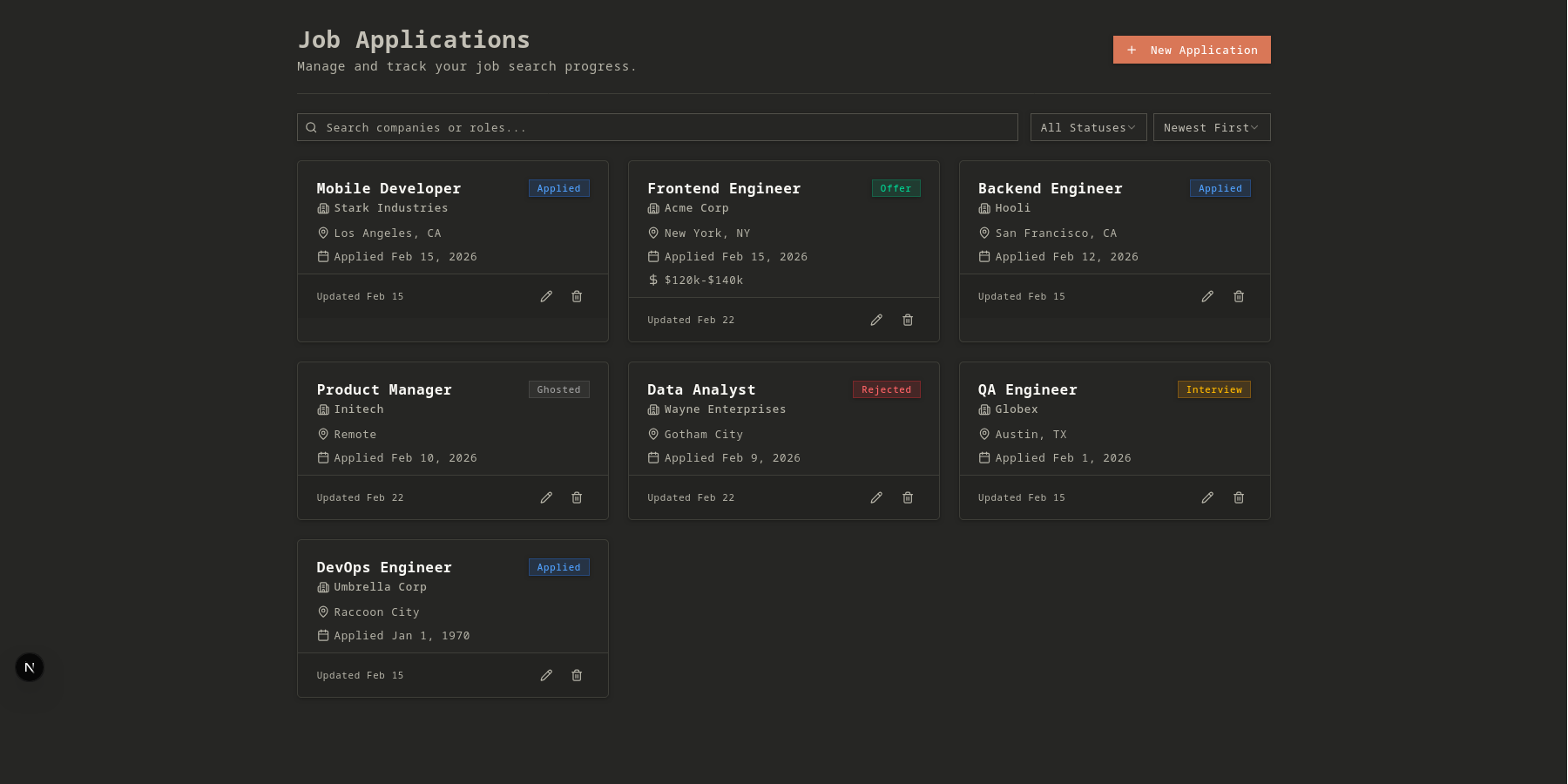
⚠️ NOTE: This project was developed entirely using Artificial Intelligence (AI). The purpose of this work is to test the limits of AI capabilities, explore its design choices, and compare AI-generated solutions with my own projects. The code integrity, quality, and coding style may differ from projects I have manually developed.
A production-quality Job Application Tracker built with modern web technologies including Next.js 16, Prisma, and Tailwind CSS 4.
🚀 Features
- Full CRUD Operations: Create, view, update, and delete job applications.
- Advanced Filtering: Filter applications by status (Applied, Interview, Offer, Rejected, Ghosted).
- Dynamic Sorting: Sort applications by application date or company name (ascending/descending).
- Search Functionality: Real-time search by company name or job title.
- Responsive UI: Fully responsive design using shadcn/ui components.
- Dark Mode: Sleek dark mode interface enabled by default.
- Type Safety: End-to-end type safety with TypeScript and Zod validation.
🛠 Tech Stack
Frontend
- Framework: Next.js 16 (App Router)
- State Management: React 19 Hooks & Server Actions
- Forms: React Hook Form with Zod validation
- Styling: Tailwind CSS 4 & shadcn/ui
- Icons: Lucide React
Backend & Database
- Database: SQLite (Local)
- ORM: Prisma 6
- Validation: Zod Schemas
Testing & Quality
- Unit Testing: Vitest & React Testing Library
- Linting: ESLint with
eslint-plugin-unused-importsfor automated cleanup.
Database Schema (ER Diagram)
Below is the visual representation of the JobApplication model used in the database via Prisma ORM:
erDiagram
    JobApplication {
        string id PK
        string companyName
        string jobTitle
        string status
        string location
        string salaryRange
        datetime applicationDate
        string notes
        datetime createdAt
        datetime updatedAt
    }
📂 Project Structure
app/: Next.js App Router (Pages & Server Actions)actions/: Server actions for database operations.applications/: Application-specific routes and page logic.
components/: Reusable UI components.ui/: Base shadcn/ui components.applications/: Feature-specific components (Form, List, Card, filters).
lib/: Shared utilities and configurations.repositories/: Data access layer using Prisma.zod/: Shared validation schemas.
tests/: Unit and integration tests.prisma/: Database schema and migrations.
🛠 Getting Started
Prerequisites
- Node.js 20+
- pnpm 10+
Installation
-
Install dependencies:
pnpm install -
Initialize the database:
pnpm db:migrate -
Run the development server:
pnpm devOpen http://localhost:3000 in your browser.
📜 Available Scripts
pnpm dev: Starts the development server.pnpm build: Generates Prisma client and builds the Next.js application.pnpm start: Starts the production server.pnpm lint: Runs ESLint for code quality checks.pnpm test: Runs unit tests with Vitest.pnpm db:migrate: Creates and applies database migrations.pnpm db:studio: Opens Prisma Studio to view/edit data.
🧪 Testing
The project uses Vitest for unit testing server actions and schema validation.
# Run all tests
pnpm test

# Run tests in UI mode
pnpm test:ui
Tags
Similar Tools
WindChat
v0.dev open-source alternative browser extension
TechEuphoria
Modern web application for technology enthusiasts event
100 Days of Code
Daily challenges - Vibe code with AI
unCover
VerifiedWrite AI-generated cover letters in seconds
Intellectia
VerifiedGuardian against misleading AI-generated content
BeyHub
Completely vibe-coded beyblade web application