Fitdrop
Personal fashion exploration 1980-2025
AI-Agent Assisted
Tier 2README
FITDROP: A Vibe Coding Experiment
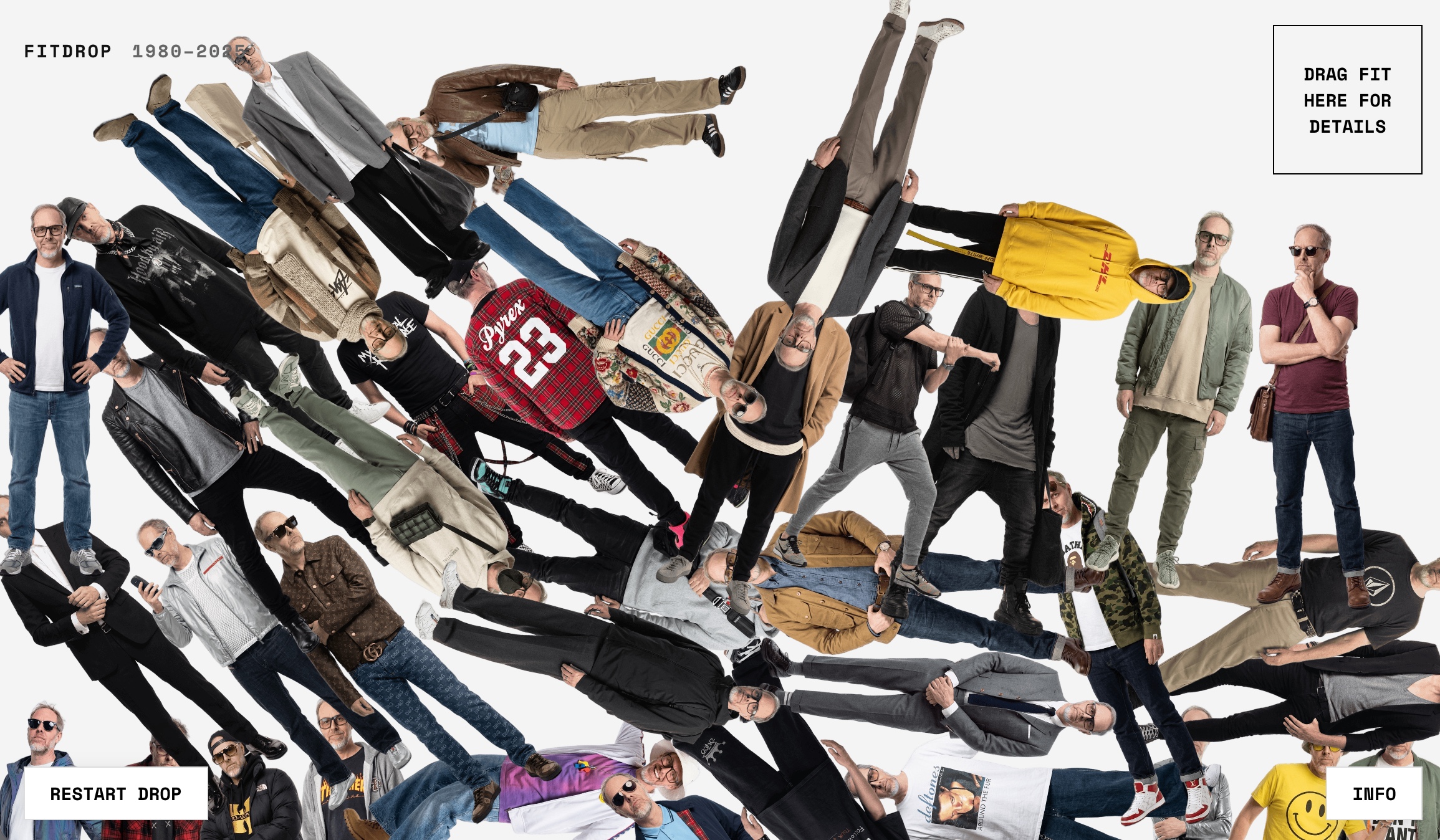
FitDrop is a personal exploration of fashion history (1980-2025) and a testament to the speed of AI-assisted prototyping ("Vibe Coding").
This repo is structured to help you understand the process—and potentially "vibe code" your own version.
The Pipeline
I built this project in a simple, linear pipeline. I'm hoping these instructions are clear enough for you to follow along and create your own version.
1. The Data (data/prompts.json)
Everything starts with the data. I used Gemini to generate a JSON file containing 45 years of fashion history.
- Action: Edit
data/prompts.jsonto define your own "looks" or characters. - Tip: Use an LLM to generate your own looks into this JSON structure for you. "Give me a set of 'looks' in this JSON format... (obviously have fun with this bit)"
2. The Identity (data/reference_poses/)
To make the generated images actually look like someone (in this case, me), we use "Subject Injection".
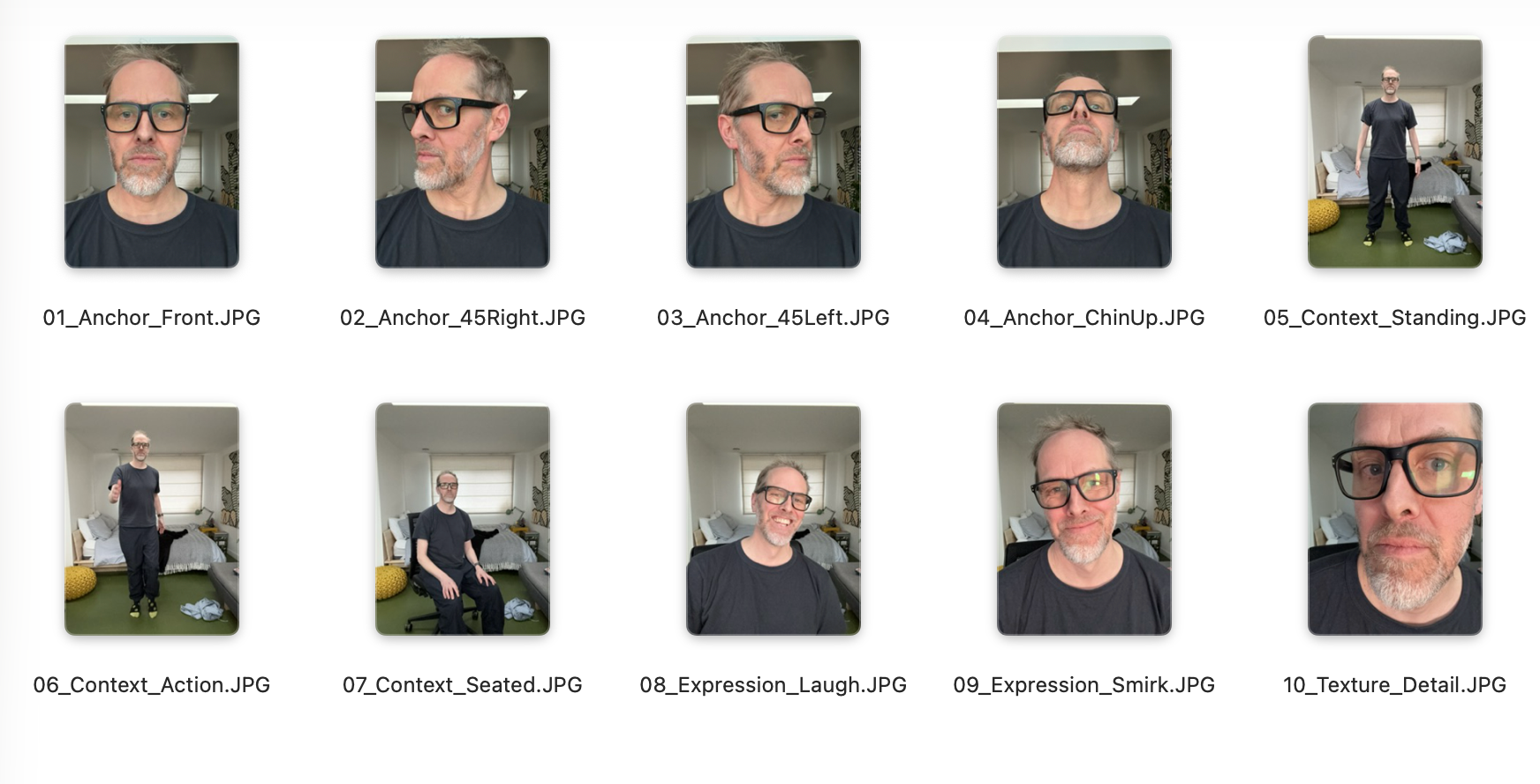
- We don't just use random poses. We use a Reference Cloud of 10-15 images of the subject.
- These images (Anchor, Context, Expression) are fed into Gemini 3.0 Pro to create a semantic cluster of the person's identity.
- The script (
pipeline/1_generate_images.js) grabs these fromdata/reference_poses/. - Deep Dive: Read IDENTITY_GUIDE.md for the full theory on "Anthropomorphic Fidelity" and why we structure the data this way.
3. The "Shoot" (pipeline/1_generate_images.js)
This script acts as our photographer.
- It reads your
prompts.json. - It sends everything to Gemini 3.0 Pro (Image Model).
- Run it:
node pipeline/1_generate_images.js - Output: Raw images land in
generated/raw/.
WARNING: Nano Banana Pro is not 'cheap' generating tons of images can rack up costs quite quickly so be careful of autorunning large batches of image generations.
4. Cutouts (pipeline/2_process_cutouts.py)
We need transparent backgrounds for the physics engine to look real.
- This script wraps the brilliant
transparent-backgroundtool. - It takes the raw images and automagically removes the background.
- Run it:
python pipeline/2_process_cutouts.py - Output: Clean, transparent PNGs are saved directly to
fitdrop_site/images/.
5. The Drop (fitdrop_site/)
The interactive playground.
- Built with Matter.js (Physics) and vanilla JS.
- No heavy frameworks. Just
index.html,app.js, andstyles.css. - Run it:
cd fitdrop_site && python3 -m http.server - Tech Note: The physics bodies are simple rectangles (1:2.5 aspect ratio) that approximate the human shape. We don't use complex polygon hulls for performance reasons. The transparent PNG is just a texture painted on top of this invisible rectangular block.
How to "Vibe Code" This Yourself
Prerequisites:
- Node.js
- Python 3.8+
- A Google Gemini API Key (saved in
.env)
Setup:
- Clone the repo: Get the code.
- Add your API Key: Create a
.envfile withGEMINI_API_KEY=your_key. - Install Deps:
- JS:
npm install - Python:
pip install transparent-background
- JS:
The Workflow:
- Drop your reference images into
data/reference_poses/. - Define your content in
data/prompts.json. - Generate:
node pipeline/1_generate_images.js - Process:
python pipeline/2_process_cutouts.py - Serve: Go to
fitdrop_site/and open it up.
Happy dropping.
Tags
Similar Tools
Panel Notes
Track electrical panel breakers
Lk Locator
Simple vibe coded Sri Lanka locator app
Billmanager
Track monthly bills and subscriptions
Traktarr
Export Trakt history without subscription
RunNX
Fast ONNX runtime in Rust
Gemini Voyager
Enhancement suite for Google Gemini